The sixth part of this blog series about the development of our demo. This part is focused on the effects. Specific effect code is handled separately.
#Introduction Much of the effects were developed in very short bursts between mid December and end of January. The first effects came from porting effects we had previously done in other demos (Sketch, Enlight the Surreal) in order to see how they worked on the Amiga. At the end the effect list looked like (order of apperance):
- Landscape, wire frame landscape based on a heightmap
- Tentacles, 4 keyframe TCB spline extrusion
- Hexagon Cylinder, hexagon extrusion
- Scroller
- Wire tunnel
- Spherical Harmonics, harmonics morphing of a sphere
- Metalines, 2D meta in a 3D context
- CSG, Constructed Solid Geometry calculating the union between two cubes
#Landscape This is a very simple effect, the basic outline goes a bit like this:
- read a height map (we use a greyscale PNG)
- translate image to vertices, Vertex[x,y,z] = func(image.x, image.color, image.y)
- move camera and render it
Since we wanted to support a fairly long flight we needed to cut down the amount of data sent to the pipeline. The flight is constant in the Z direction, and the spacing between segements is also constant I use an index telling me at what edge segment I should start. The distance fade-off is also constant, which is essentially an offset from the start segment. In the end, it all boils down to:
    idxStart = z_pos * segment_factor;
    idxEnd = idxStart + NUM_VISIBLE_EDGES_PER_FRAME;
    for(int i=idxStart; i<idxEnd; i++) {
        // render stuff
    }
We spent quite a lot of time on the details like getting fade-out in the distant nicely done. Also quite a bit of fiddling with the camera before we decided on a straight flight over the landscape. Also the camera path must align nicely with the heightmap. Indeed not complicated but took much more time then the inital effect code.
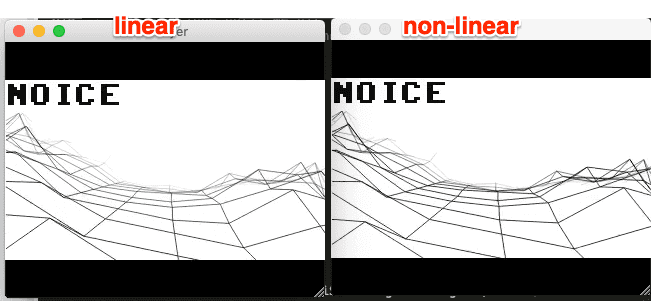
This image shows experimenting with fade-off. The landscape is rendered back to front with overdraw. This because the linedrawing routine is Anti-Alias and we are literally blending pixels across.
The credits movement were made with inspiration from Lapsuus by Maturefurk from Assembly 2001 (see: http://www.pouet.net/prod.php?which=3284).
#Tentacles This is a classic effect and it’s also one of my favourites. We first implemented this for Enlight the Surreal in 2000 and I still think it’s one of the best implementations of such an effect.
Early test:
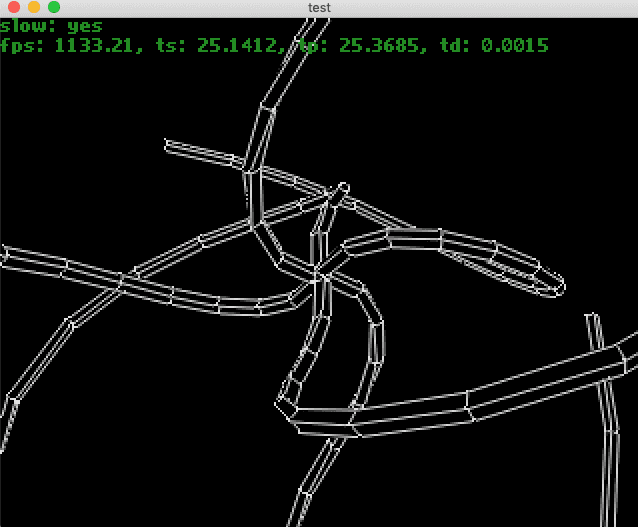
This is how it’s done.
- Define a tentacle as 4 points spaced evenly and linearly away from origin of object
- Create a spline curve for the 4 points
- Define number of segments along the curve
- Create a rotation matrix for each render segment use a delay_factor per segment
- Interpolate the keyframe
- Create a rotation matrix from the directional vector and an up vector (much like gluLookAt)
- Rotate the segment (quad) and store it, loop to 6
- Tie segments together and draw
Once done - just draw it…
##Step 6,7
static void calc_seg(GOA_PIXMAP8 *pixmap, float *dest, float r_scale, float *p1, float *p0, float *up) {
	float dirv[3];
	float segrot[3*3];

	// get the directional vector and create a rotation matrix
	goa_vector_sub3f(dirv, p1, p0);
	goa_matrix_fromvectors3f(segrot, dirv, up);

	for (int i=0;i<POINTS_IN_SEG;i++) {
		float point[3];
		float segpoint[3];

		// Scale segment
		goa_vector_mul3f(segpoint, r_scale, &base_segment[i*3]);

		// Rotate
		goa_matrix_vectormul3f(point, segpoint, segrot);

		// Center
		goa_vector_add3f(&dest[i*3], point, p1);
		goa_vector_add3f(&dest[i*3], &dest[i*3], glb_position);
	}
}
#Hexagon cylinder
This was a very fun part to do. I had been having this idea of playing with hexagons since a while back. The first iteration rendered a floor with vertical extrusion.
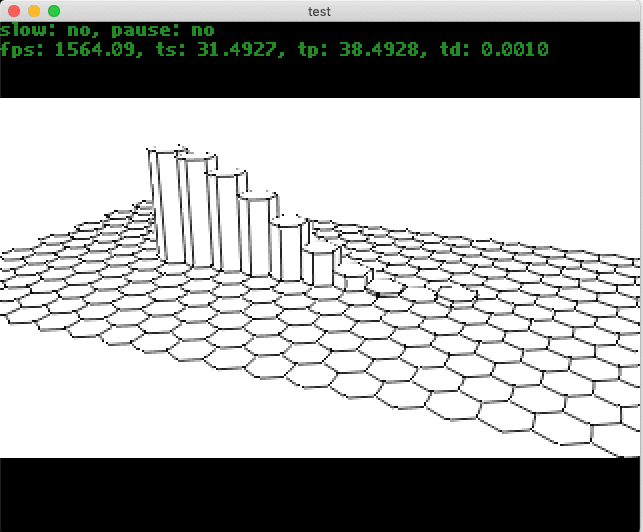
I had to do a bit of research on how to position the hexagons properly in order for them to align. Once the floor was there I experimented with various transformation options like wrapping to a cylinder creating a tunnel (didn’t look at all very good) before settling on the cylinder.
The first idea was to have the wrapping done in realtime and start with a floor and wrap it to a cylinder while morphing. However, I ran in to a couple of issues with hexagon alignments and had to scrap it. It was also quite complicated to get the extrusion running in parallell and not screw everything up.
#Scroller
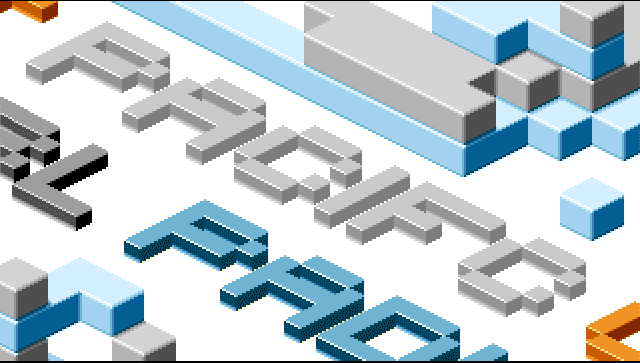
The scroller is just a collection of 2D tiles stiched together to form letters. The tile used in the demo looks like this.
 This effect was proposed by Flod. First I rejected it as I thought it would look jerky to do a diagonal scroller. But looking at the graphics he had already proposed I saw that it was already symmetric and that it would work fine. The scroller simply move a tile 2 pixels left for every pixel up (tile is rotated 22 degrees).
We made various versions of this scroller - before we settled in for the big single scroller. Like the dual scroller with greetings.
#Tunnel
Simple wire frame tunnel rendered back to front with AntiAlias. The main “problem” in this part is offsetting all movements. The tunnel is done with modulos, like: z_value = fmod(z_speed*t, SEGMENT_DISTANCE) and getting all small details to flow with the segment without missing a frame took a few hours of fiddling.
#Fullscreen picture Graphical part - Flod did the picture.
#Harmonics
Spherical harmonics, google it - they are everywhere. This effect was orginally coded by Krikkit for Sketch.
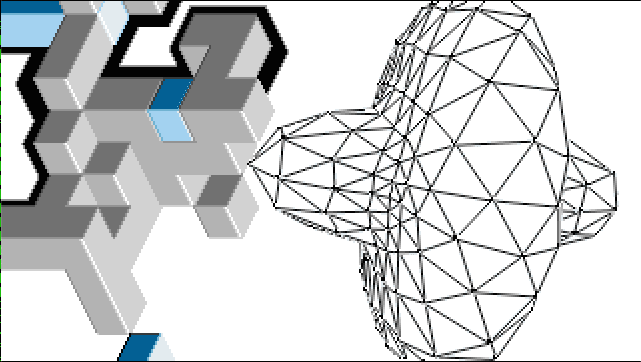
The basic principle is (given each vertex is on a sphere).
- take a vertex
- convert to polar
- compute spherical harmonics
- convert back to cartesian coordinates
In order to get the morphing correct you compute the spherical harmonics twice with different coefficents and blend the values according to the morphing value (0..1).
    for (i=0 ; i<object->num_vertices ; i++)
    {
        cartesian2polar(&radius,&phi,&theta,&g_vertices[i]);
        radius0 = SPHERE_RADIUS * (float) (pow(gsin(a0*phi),b0) + pow(gcos(c0*phi),d0) + pow(gsin(e0*theta),f0) + pow(gcos(g0*theta),h0));
        radius1 = SPHERE_RADIUS * (float) (pow(gsin(a1*phi),b1) + pow(gcos(c1*phi),d1) + pow(gsin(e1*theta),f1) + pow(gcos(g1*theta),h1));
        radius = blend*radius0 + (1-blend)*radius1;
        polar2cartesian(&object->org_vertices[i],radius,phi,theta);
    }
#Metalines The meta lines effect was inspired by Kkowboy by Blasphemy and Purple.
Where they are doing some kind of psedudo metaballs (at 1:20 in video). I first started out with an old metaball routine trying to change the meshification to do what I want. After a few nights of failed attempts I realized that the problem is not a 3D problem at all bur rather a 2D problem.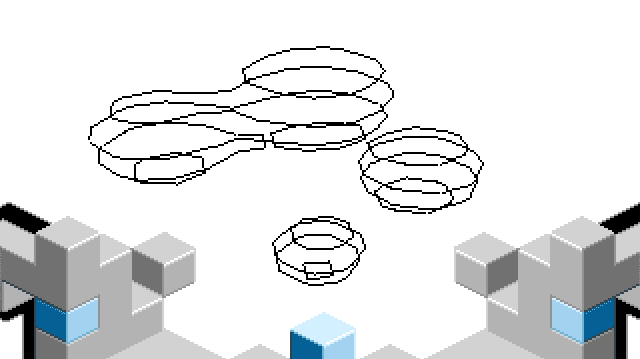 As you can notice from the screen shot, these lines are not antialiased. They way the AA linedrawer is blending did not work with background graphics. The AA line-drawer makes a few assumptions (like 0..16) and can thus be further optimized. This works in the whole demo except in this part. Moving the graphics and object around in such a way that we don’t overdraw just looked uglier than keeping the non-AA line drawer.
Instead of working with 3D cells (cubes) I reimplemented it with 2D cells (quads) in one of the grid-slices. Turned out this was key. The rest of the implementation was to capture the various cases depending on which edges cut through the volume. By looking at the corners in a single quad you can work this out and create a bit-mask.
// Calculate lines for one X/Y plane in the grid
static void grid_plane_calclines(int zi, float threshold) {
        int xi, yi;
        int idx;


        GOA_VECTOR points[8];
        int numpoints = 0;

        for (yi=0;yi<Y_SIZE-1;yi++) {
                for (xi=0;xi<X_SIZE-1;xi++) {
                        GRIDPOINT *p0 = &grid[(xi+0) + (yi+0) * X_SIZE + zi * Y_SIZE * X_SIZE];
                        GRIDPOINT *p1 = &grid[(xi+1) + (yi+0) * X_SIZE + zi * Y_SIZE * X_SIZE];
                        GRIDPOINT *p2 = &grid[(xi+1) + (yi+1) * X_SIZE + zi * Y_SIZE * X_SIZE];
                        GRIDPOINT *p3 = &grid[(xi+0) + (yi+1) * X_SIZE + zi * Y_SIZE * X_SIZE];

                        idx = (p0->value>threshold)?V0:0;
                        idx |= (p1->value>threshold)?V1:0;
                        idx |= (p2->value>threshold)?V2:0;
                        idx |= (p3->value>threshold)?V3:0;


                        if (idx == 0) continue;
                        if (idx == (V0|V1|V2|V3)) continue;

                        grid_plane_calcedges(idx, threshold, p0, p1, p2, p3);

                }
        }
}
The edge interpolation looks at the bit mask and calculates the corresponding edges. In the end it’s just a long switch-case selecting the right points for interpolation.
static void grid_plane_calcedges(int idx, float threshold, GRIDPOINT *p0, GRIDPOINT *p1, GRIDPOINT *p2, GRIDPOINT *p3) {
        GOA_VECTOR points[8];
        // cases for horizontal lines...
        switch(idx) {
                case V0 :
                        grid_interpolate(&points[0], p0, p1, threshold);
                        grid_interpolate(&points[1], p0, p3, threshold);
                        grid_addlinesegment(&points[0], &points[1]);
                        break;
                case V0|V1 :
                        grid_interpolate(&points[0], p0, p3, threshold);
                        grid_interpolate(&points[1], p1, p2, threshold);
                        grid_addlinesegment(&points[0], &points[1]);
                        break;
     			case V1|V2|V3:
                        grid_interpolate(&points[0], p1, p0, threshold);
                        grid_interpolate(&points[1], p3, p0, threshold);
                        grid_addlinesegment(&points[0], &points[1]);
                        break;
        }
}
Using simple bruteforce this effect runs at 17fps on the Amiga. The algorithm can fairly easily be structured to do surface walking. But we had bigger problems to tackle and when the deadline approached we were simply to tired to deal with it. And yes - we have done surface walking marching cubes in the past.. =)
#CSG
This is realtime constructive solid geometry - properly, not faked. In past SW rendered demos/intros we have done this using Z-buffer and Accumulation buffers with special poly-fillers to deal with it. Due to the memory bandwidth of the Amiga this is simply not possible. This time it had to be properly calculated.
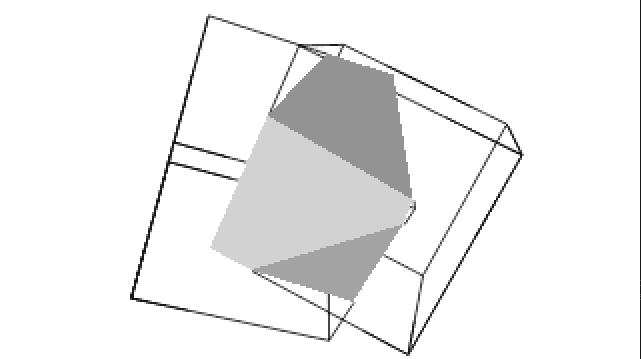 Krikkit was able to reuse the generalized (and optimized) frustum clipper and extend it to polygons. The basic principle is:
- Rotate Cube 2 into Cube 1 using the inverse rotation matrix
- Clip and draw lines and polys between Cube 1 and 2
- Rotate Cube 1 into Cube 2 using the inverse rotation matrix
- Clip and draw line and polys between Cube 2 and 1
The greetings were added quite late in the development but fitted nicely into this part.
#Endpart This is a simple wavefront object with an up-scroll. To achieve wire-frame hidden line we once again used line streaming.